

Ray Marching From the Ground Up

Just a guy who loves to write code and watch anime.
What Is Distance.
Before anything else. You need to understand one thing. Distance.
You have two dots on a piece of paper. The distance between them is just how far apart they are. You could measure it with a ruler. That is it. Nothing fancy.
A computer can calculate this distance with a simple formula. You do not need to understand the formula. Just know that the computer can take any two points and instantly tell you how far apart they are.

What Is a Distance Field.
Now imagine this. You have a circle sitting in the middle of a blank space. Pick any random point in that space. The computer can tell you how far that point is from the edge of the circle. Not the center. The edge.
Now imagine doing that for every single point in the space. Every point gets a number. That number is its distance to the nearest surface.
If you color those numbers. Close to the surface is dark. Far from the surface is bright. You get something that looks like a glowing ring. Bright far away. Dark near the circle.
That is a distance field. Every point in space knows how far it is from the nearest thing.

What Does Signed Mean.
Here is where people get confused. But it is simple.
Signed just means the number can be positive or negative. Like a bank account. Positive means you have money. Negative means you owe money. The sign tells you which side you are on.
For a distance field it works the same way.
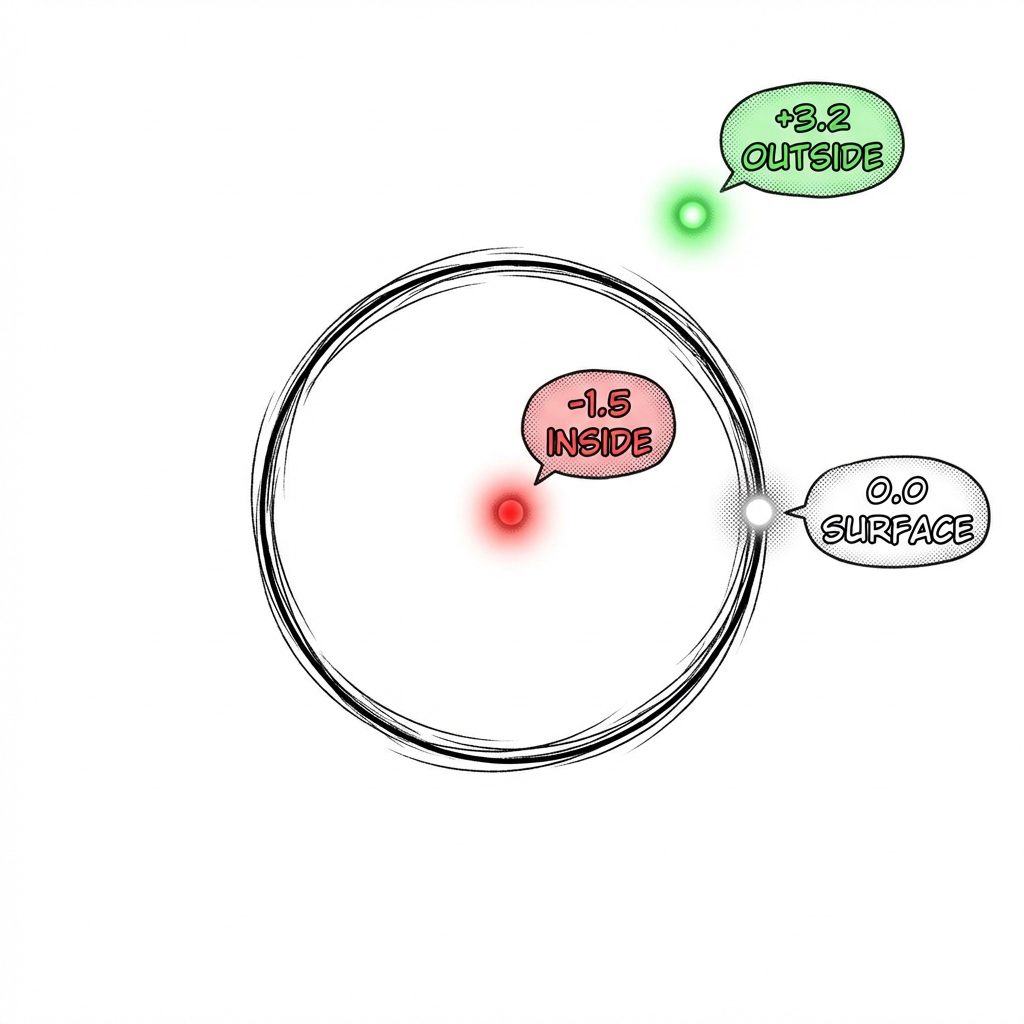
If you are outside the circle. The distance is positive. You are away from the surface.
If you are inside the circle. The distance is negative. You have gone past the surface.
If you are exactly on the edge. The distance is zero. You are right on the surface.
That is it. That is what signed means. Positive is outside. Negative is inside. Zero is the surface. The sign tells you which side you are on.
This is called a Signed Distance Function. SDF for short. A function that tells you how far you are from the nearest surface and whether you are inside or outside.
The Key Idea. You Only Know Distance. Nothing Else.
Here is the weird part. The signed distance function only tells you one thing. How far away is the nearest surface.
It does not tell you where the surface is. It does not tell you what direction it is in. It does not tell you what shape it is.
Just the distance. That is all.
How Ray Marching Works.
Imagine you are standing in a dark room. You cannot see anything. But you have a special device. When you press a button it tells you how far away the nearest wall is. It does not tell you which direction the wall is. Just the distance.
You want to walk forward without hitting anything. Here is what you do.
Step 1. Press the button. It says "the nearest wall is 5 meters away." Great. You know it is safe to take 5 steps forward. No matter what direction the wall is in. You cannot hit anything within 5 meters.
Step 2. You walk 5 meters forward. Press the button again. Now it says "the nearest wall is 2 meters away." So you walk 2 meters forward.
Step 3. Press again. "0.3 meters." Walk 0.3 meters.
Step 4. Press again. "0.01 meters." You are basically touching the wall. You found a surface.
That is ray marching. You keep checking the distance. You keep stepping forward by exactly that distance. Each step is guaranteed to be safe because you cannot overshoot. The steps get smaller and smaller as you get closer. Until you hit something.

Why the Steps Are Circles.
The distance is the same in every direction. So the safe zone at each step is a circle. Each circle gets smaller as you get closer to the surface.

Now Do That for Every Pixel.
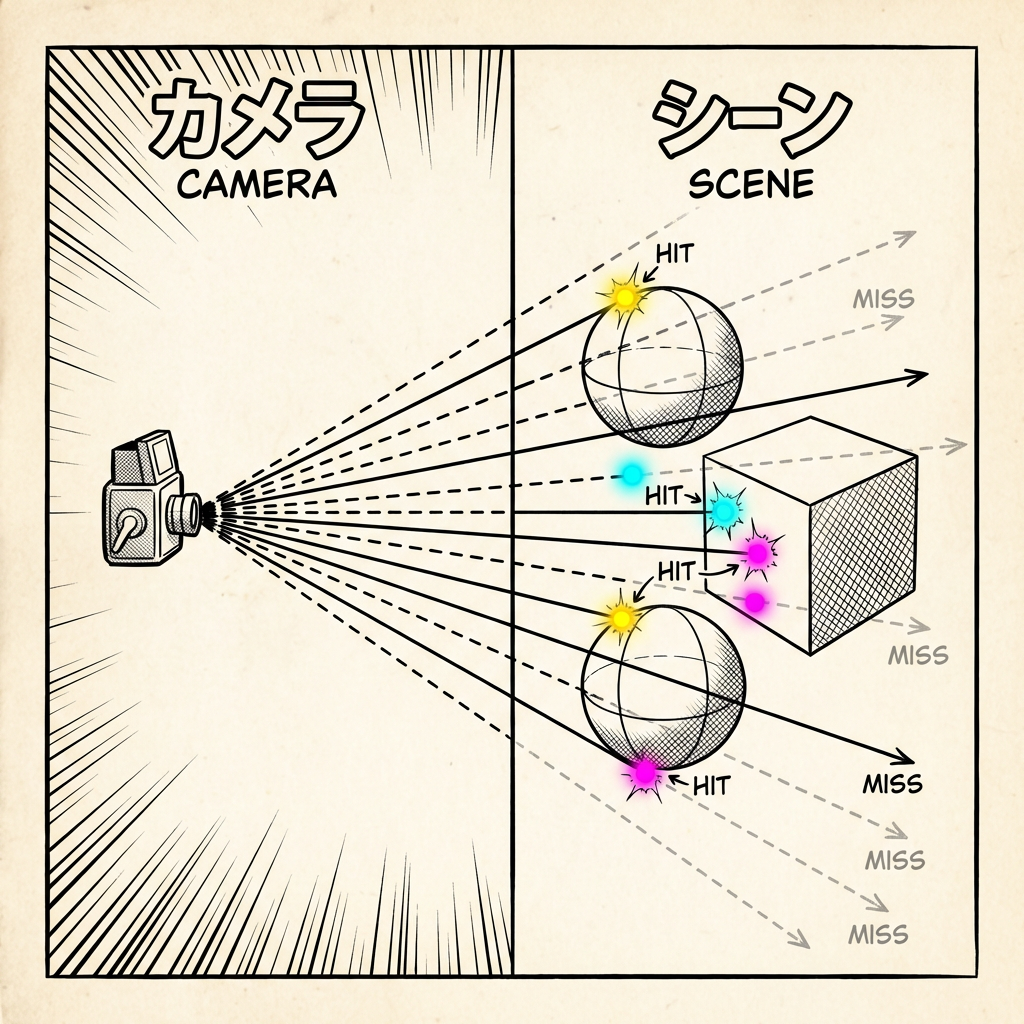
One ray finds one surface point. That gives you one pixel on your screen.
To render a full image. You shoot one ray for every pixel. A screen might have over two million pixels. So you shoot over two million rays. Each one marches forward step by step until it hits something or gives up.
The computer does all of these at the same time. GPUs are built for this. Millions of tiny tasks running in parallel.
When a ray hits a surface. You color that pixel. When a ray hits nothing. You color it as background. Do this for every pixel and you get a full image.
Building a Scene. Combining Shapes.
You know how to render one shape now. But what about a scene with many shapes.
Here is the beautiful part. Remember. The distance function tells you how far the nearest surface is. If you have two shapes. You just check the distance to both. And take the smaller number. The smaller number is the nearest surface. That's the one which matters. It's the one you would hit first.
In code this is just the min function. Take the minimum of two distances. Done. You now have two shapes in your scene.
Want 10 shapes. Take the min of all 10 distances.


